Trading Journal Integrations

Auto-sync every MT4 trade into your journal with pips, lots, R-multiples and drawdown calculated for you.
MetaTrader 4

Connect MT5 and track forex, indices, metals and stocks with full performance analytics in one journal.
MetaTrader 5
Sync TradeLocker trades automatically and track performance and drawdown on every prop firm account.
TradeLocker
Import cTrader trades automatically and analyze win rate, R-multiples and session performance.
cTrader
Sync Tradovate futures trades and track P&L in ticks, points and dollars with drawdown alerts.
Tradovate
Connect NinjaTrader and journal every futures trade with tick-level P&L, commissions and drawdown.
NinjaTrader
Track Match Trader prop firm accounts with automatic trade sync, drawdown monitoring and analytics.
Match Trader
Journal Volumetrica futures prop firm trades with tick-level P&L and trailing drawdown tracking.
Volumetrica
Track stocks, options and futures from Interactive Brokers with full performance analytics.
Interactive BrokersEvery platform, one dashboard
Trade forex on MT5 and futures on Tradovate? Both land in the same journal, with the same metrics.
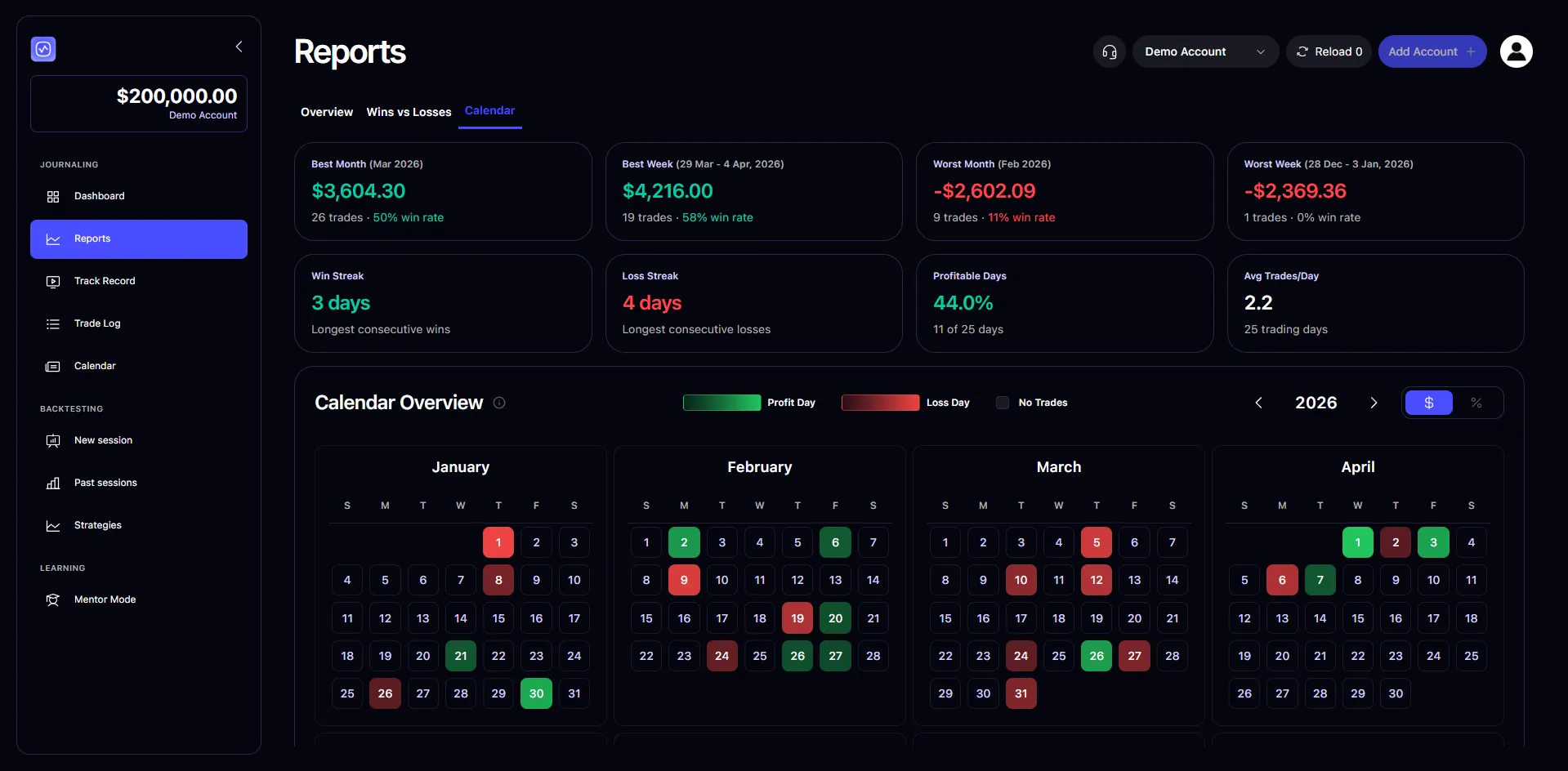
Connected in a few minutes
No exports, plugins or spreadsheets. Connect once and your journal stays up to date.
Open Add Account in Clarity Tracking and pick your platform from the list.
Enter your account details, such as your account number, and choose your broker or prop firm server.
Your existing trade history is imported, and every new trade syncs on its own from then on.
What you get once you're connected
Your platform shows you a list of trades. Clarity Tracking turns that history into answers.
Symbol, direction, times, entry and exit, stop and target, size, commission, swap and net P&L.
Win rate, profit factor, expectancy and results in R, by symbol, setup, session and day.
Max drawdown and daily loss tracked against your firm's limits, so you see trouble coming.
View live, demo and funded accounts on their own or combined in one dashboard.
Which integration do you need?
Pick the platform you place your trades on. Each one has a step-by-step setup guide.
| Platform | Markets | Typical use |
|---|---|---|
| MetaTrader 4 | Forex, CFDs | Forex brokers and forex prop firm challenges |
| MetaTrader 5 | Forex, indices, metals, stocks | Multi-asset brokers and prop firms |
| TradeLocker | Forex, CFDs | Prop firms and brokers on TradeLocker |
| cTrader | Forex, CFDs | ECN brokers and prop firms |
| Match Trader | Forex, CFDs | Prop firm challenges and funded accounts |
| Tradovate | Futures | Futures traders and futures prop firms |
| NinjaTrader | Futures | Futures traders and futures prop firms |
| Volumetrica | Futures | Futures prop firm accounts |
| Interactive Brokers | Stocks, options, futures | Active stock, options and futures traders |
Guides and free tools for your setup
Getting more out of your journal starts with knowing what to track. Start with the guide for how you trade.
Journal guides for specific prop firms
Integration FAQ
Quick answers about connecting your trading accounts.
How does automatic trade sync work?
You add your account in Clarity Tracking, choose your platform, then enter your account details and choose your broker or prop firm server. Your existing trade history is imported, and new trades sync automatically from then on, so there is nothing to export or upload.
Can I connect prop firm, demo and personal accounts?
Yes. You can connect live, demo and prop firm challenge or funded accounts, then view each one on its own or combine them in one dashboard.
Is automatic sync included on every plan?
Yes. Both plans include automatic sync with all 9 platforms. Starter covers up to 3 trading accounts and Professional covers unlimited accounts. See pricing for details.
Which integrations work for futures traders?
Futures traders can connect Tradovate, NinjaTrader, Volumetrica or Interactive Brokers. Clarity Tracking shows futures P&L in ticks, points and dollars and tracks trailing drawdown for prop firm accounts.
Can I connect accounts on different platforms?
Yes. You can connect, for example, an MT5 prop firm account and a Tradovate futures account and see them side by side or combined in one dashboard.
My platform isn't listed. What can I do?
Email support@claritytracking.com or use the contact page to tell us which platform you use. Requests help us decide which integrations to build next.
Take Control of Your Trading Performance
Stop guessing. Start knowing. Track every trade, understand your numbers, and build real consistency with Clarity Tracking.

